
Here is a list of Stuff that are very much useful and yeah also free ......
Stuff includes free softwares, free antivirus , free anti-spyware , free network tools etc. ....
Check it out urself
Antivirus:
AVG - http://www.grisoft.com/us/us_index.php
Avast - http://www.avast.com/
AntiVir - http://www.free-av.com/
Panda ActiveScan - http://www.pandasoftware.com/activescan
Audio Players:
Foobar2000 - http://www.foobar2000.org/
Sonique - http://sonique.lycos.com/
iTunes - http://www.apple.com/itunes/
jetAudio - http://www.jetaudio.com/
QCD - http://www.quinnware.com/
Winamp - http://www.winamp.com/
Audio Utilities:
CDex - http://cdexos.sourceforge.net/
dbPowerAMP Music Converter - http://www.dbpoweramp.com/dmc.htm
CD Recording:
ASPI Drivers - http://www.adaptec.com/worldwide/sup...duct/ASPI-4.70
CD/DVD Burner XP - http://www.cdburnerxp.se/
Burn 4 Free - http://www.burn4free.com/
CD Utilities:
Daemon Tools - http://www.daemon-tools.cc/dtcc/portal/portal.php
Download Managers:
WackGet - http://millweed.com/projects/wackget/
LeechGet - http://www.leechget.net/en/
wget for Windows - http://xoomer.virgilio.it/hherold/
Encryption:
PGP Freeware Edition - http://www.pgp.com/products/freeware.html
Axcrypt - http://axcrypt.sourceforge.net/
GnuPG - http://www.gnupg.org/
Firewall:
ZoneAlarm - http://www.zonelabs.com/
Sygate Personal Firewall - http://smb.sygate.com/products/spf_standard.htm
Kerio Personal Firewall - http://www.kerio.com/kpf_home.html
Outpost - http://www.agnitum.com/download/outpost1.html
GUI Utilities:
Tclock - http://homepage1.nifty.com/kazubon/tclock/index.html
IconPhile - http://www.virtualplastic.net/scrow/iphile.html
PowerMenu - http://www.veridicus.com/tummy/programming/powermenu/
Glass2k - http://www.chime.tv/products/glass2k.shtml
D-Color XP - http://dliboon.freeshell.org/products/dcolor/index.php
CursorXP - http://www.stardock.com/products/cursorxp/download.html
MobyDock - http://www.mobydock.com/
Samurize - http://www.samurize.com/
Image Viewers:
IrfanView - http://www.irfanview.com/
iBrowser - http://ibrowser.fcodersoft.com/
AhaView - http://www.aha-soft.com/ahaview/free.htm
Instant Messaging:
Miranda IM - http://www.miranda-im.org/
Gaim - http://gaim.sourceforge.net/
Trillian - http://www.ceruleanstudios.com/downloads/
Yahoo Instant Messenger - http://messenger.yahoo.com/
MSN Messenger - http://messenger.msn.com/
AOL Instant Messenger - http://www.aim.com/
ICQ - http://www.icq.com
Jabber - http://www.jabber.org/
Networking:
Putty Telnet/SSH Client - http://www.chiark.greenend.org.uk/~sgtatham/putty/
IP Tools - http://www.ks-soft.net/ip-tools.eng/
Ethereal Protocol Analyzer - http://www.ethereal.com/
HyperTerminal Private Edition - http://www.hilgraeve.com/htpe/download.html
RealVNC - http://www.realvnc.com/
Nmap - http://www.insecure.org/nmap/
Programming:
ActivePerl - http://www.activestate.com/Products/ActivePerl/
jEdit - http://www.jedit.org/
Dev-C++ - http://www.bloodshed.net/
MySQL - http://www.mysql.com
SciTE - http://www.scintilla.org/SciTE.html
Publication/Document Manipulation:
OpenOffice.org - http://download.openoffice.org/index.html
AbiWord - http://www.abisource.com/download/
Spyware Protection:
Ad-Aware - http://www.lavasoft.de/software/adaware/
Spybot: Search & Destroy - http://spybot.safer-networking.de/
CWShredder - http://www.spywareinfo.com/~merijn/downloads.html
Hijack This - http://www.spywareinfo.com/~merijn/downloads.html
IE-SPYAD - http://www.staff.uiuc.edu/~ehowes/resource.htm#IESPYAD
SpywareBlaster - http://www.javacoolsoftware.com
System Utilities:
BootVis - http://www.majorgeeks.com/download.php?det=664
Resource Hacker - http://www.users.on.net/~johnson/resourcehacker/
PC Inspector File Recovery - http://www.pcinspector.de/file_recovery/UK/welcome.htm
Motherboard Monitor - http://mbm.livewiredev.com/
Sysinternals Utilities - http://www.sysinternals.com/ntw2k/utilities.shtml
WCPUID - http://hp.vector.co.jp/authors/VA002.../download.html
Video Players:
BSPlayer - http://www.bsplayer.org/
Core Media Player - http://www.tcmp.org/
Media Player Classic - http://sourceforge.net/project/showf...group_id=82303
VideoLAN - http://www.videolan.org/
Zoom Player - http://www.inmatrix.com/files/zoomplayer_download.shtml
Video Utilities:
KVCD - http://www.KVCD.net
TMPGEnc - http://www.tmpgenc.net/
VirtualDUB - http://www.virtualdub.org/
Web Browsers:
Mozilla FireFox - http://www.mozilla.org/download.html
Mozilla - http://www.mozilla.org/
Netscape - http://channels.netscape.com/ns/browsers/default.jsp
MyIE2 - http://www.myie2.com/
Avantbrowser - http://www.avantbrowser.com/
SlimBrowser - http://www.flashpeak.com/sbrowser/sbrowser.htm
Web/FTP Servers:
SlimFTPd - http://www.whitsoftdev.com/slimftpd/
Filezilla - http://filezilla.sourceforge.net/
Xitami - http://www.xitami.com/
Apache - http://www.apache.org/
Savant - http://savant.sourceforge.net/
Sunday, June 8, 2008


Star Wars episode 4 A New Hope
Believe it or not you can watch the entire movie in ASCII and man its fun to watch!!!
Windows XP - Star wars episode 4 a new hope
1. Open Windows XP and go to Start, then run.
2. Type in or copy "telnet towel.blinkenlights.nl" without the commas.
3. Sit back and watch the ASCII movie
Man oh man!!
Enjoy!!
Here are some scenes from the movie .....
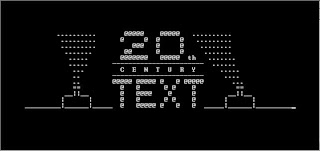
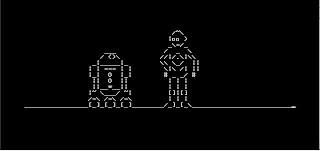
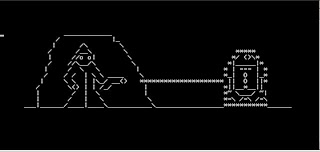
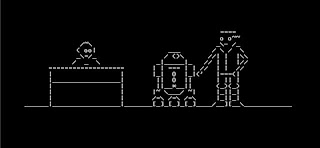
Couldnt do more screenies since i didnt wanna miss the movie .... check it out urself!!
Windows XP - Star wars episode 4 a new hope
1. Open Windows XP and go to Start, then run.
2. Type in or copy "telnet towel.blinkenlights.nl" without the commas.
3. Sit back and watch the ASCII movie
Man oh man!!
Enjoy!!
Here are some scenes from the movie .....


Couldnt do more screenies since i didnt wanna miss the movie .... check it out urself!!
Saturday, June 7, 2008
ISPs should pay for the music U2 made!!
Popular Rock band U2's manager says they must share revenues in a way that reflects what music is doing for them, and that Silicon Valley's "liberal hippy values" is to blame for its inability to figure out how to create a system for paying for music.
Paul McGuinness, U2's longtime band manager, gave a speech at a Music Matters confab in Hong Kong a few days ago criticizing ISPs around the globe for not doing more to combat the flow of copyrighted material on their networks.
He argues that they and others have been rewarded handsomely over the years at the music industry's expense.

"Where has all the money gone?" he asks.
"The answer is that it has gone to corporations – cable operators, ISPs, device manufacturers, P2P software companies - companies that have used music to drive vast revenues from broadband subscriptions and from advertising. They would argue they have been neutral bystanders to the spectacular devaluation of music and the consequent turmoil in the music business; I don’t believe that is true – they turned their heads the other way, watched their subscriptions grow, and profited handsomely," he adds.
McGuiness claims that 80% of all Internet traffic is P2P-related, an amazingly bloated figure that is more likely around 37% thanks to the exponential rise in video streaming services like YouTube and others. He uses this erroneous figure to then argue that a large amount of an ISP's profits is thereby earned on the backs of the music industry whose profits have diminished as theirs have soared.
It stands to reason, in his mind, that ISPs should have a "...real commercial partnership with the music business in which they fairly share their revenues."
"One way or another, ISPs and mobile operators are the business partners of the future for the recorded music business – but they are going to have to share the money in a way that reflects what music is doing for their business," later says.
The "one way" is willingly, the other is legislatively.
Could anything be more disgusting? If each of the various types of copyright holders forged "commercial partnerships" with ISPs the Internet would be utterly recognizable. Rather than an "information superhighway" it'd be Main St, USA where billboards are plastered everywhere and overzealous beat cops watch your every move for signs of illegal behavior.
Probably the most boldest charge of all is leveled against the "...internet freethinking culture of California and Silicon Valley." The very people and companies who have put the power of knowledge back into the hands of the people are singled out for their egalitarian ways.
"They are fantastic entrepreneurs, wonderful engineers," he says. "Their passion for innovation and liberal hippy values in one sense sit very well with the creativity of the music business. But at a deeper level, there is a bigger problem and it’s one those brilliant minds never resolved: I’m talking about the problem of paying for music."
Talk about blaming the wrong people. Is it really the job of some of the brightest minds on the world to figure out how the record biz could survive and turn a profit? I mean it shouldn't take a Stanford MBA to realize: a) don't sue your customers, b) 2008 is the year to finally fully embrace digital distribution since customers have been embracing it since 1999, c) albums are overpriced, d) that the focus should be on making good albums not good profits.
Paul McGuinness, U2's longtime band manager, gave a speech at a Music Matters confab in Hong Kong a few days ago criticizing ISPs around the globe for not doing more to combat the flow of copyrighted material on their networks.
He argues that they and others have been rewarded handsomely over the years at the music industry's expense.

"Where has all the money gone?" he asks.
"The answer is that it has gone to corporations – cable operators, ISPs, device manufacturers, P2P software companies - companies that have used music to drive vast revenues from broadband subscriptions and from advertising. They would argue they have been neutral bystanders to the spectacular devaluation of music and the consequent turmoil in the music business; I don’t believe that is true – they turned their heads the other way, watched their subscriptions grow, and profited handsomely," he adds.
McGuiness claims that 80% of all Internet traffic is P2P-related, an amazingly bloated figure that is more likely around 37% thanks to the exponential rise in video streaming services like YouTube and others. He uses this erroneous figure to then argue that a large amount of an ISP's profits is thereby earned on the backs of the music industry whose profits have diminished as theirs have soared.
It stands to reason, in his mind, that ISPs should have a "...real commercial partnership with the music business in which they fairly share their revenues."
"One way or another, ISPs and mobile operators are the business partners of the future for the recorded music business – but they are going to have to share the money in a way that reflects what music is doing for their business," later says.
The "one way" is willingly, the other is legislatively.
Could anything be more disgusting? If each of the various types of copyright holders forged "commercial partnerships" with ISPs the Internet would be utterly recognizable. Rather than an "information superhighway" it'd be Main St, USA where billboards are plastered everywhere and overzealous beat cops watch your every move for signs of illegal behavior.
Probably the most boldest charge of all is leveled against the "...internet freethinking culture of California and Silicon Valley." The very people and companies who have put the power of knowledge back into the hands of the people are singled out for their egalitarian ways.
"They are fantastic entrepreneurs, wonderful engineers," he says. "Their passion for innovation and liberal hippy values in one sense sit very well with the creativity of the music business. But at a deeper level, there is a bigger problem and it’s one those brilliant minds never resolved: I’m talking about the problem of paying for music."
Talk about blaming the wrong people. Is it really the job of some of the brightest minds on the world to figure out how the record biz could survive and turn a profit? I mean it shouldn't take a Stanford MBA to realize: a) don't sue your customers, b) 2008 is the year to finally fully embrace digital distribution since customers have been embracing it since 1999, c) albums are overpriced, d) that the focus should be on making good albums not good profits.
Thursday, June 5, 2008
List of Keyboard Shortcuts for Windows!!
Getting used to using your keyboard exclusively and leaving your mouse behind will make you much more efficient at performing any task on any Windows system. I use the following keyboard shortcuts every day:
Windows key + R = Run menu
This is usually followed by:
cmd = Command Prompt
iexplore + "web address" = Internet Explorer
compmgmt.msc = Computer Management
dhcpmgmt.msc = DHCP Management
dnsmgmt.msc = DNS Management
services.msc = Services
eventvwr = Event Viewer
dsa.msc = Active Directory Users and Computers
dssite.msc = Active Directory Sites and Services
Windows key + E = Explorer
ALT + Tab = Switch between windows
ALT, Space, X = Maximize window
CTRL + Shift + Esc = Task Manager
Windows key + Break = System properties
Windows key + F = Search
Windows key + D = Hide/Display all windows
CTRL + C = copy
CTRL + X = cut
CTRL + V = paste
Also don't forget about the "Right-click" key next to the right Windows key on your keyboard. Using the arrows and that key can get just about anything done once you've opened up any program.
Keyboard Shortcuts
[Alt] and [Esc] Switch between running applications
[Alt] and letter Select menu item by underlined letter
[Ctrl] and [Esc] Open Program Menu
[Ctrl] and [F4] Close active document or group windows (does not work with some applications)
[Alt] and [F4] Quit active application or close current window
[Alt] and [-] Open Control menu for active document
Ctrl] Lft., Rt. arrow Move cursor forward or back one word
Ctrl] Up, Down arrow Move cursor forward or back one paragraph
[F1] Open Help for active application
Windows+M Minimize all open windows
Shift+Windows+M Undo minimize all open windows
Windows+F1 Open Windows Help
Windows+Tab Cycle through the Taskbar buttons
Windows+Break Open the System Properties dialog box
acessability shortcuts
Right SHIFT for eight seconds........ Switch FilterKeys on and off.
Left ALT +left SHIFT +PRINT SCREEN....... Switch High Contrast on and off.
Left ALT +left SHIFT +NUM LOCK....... Switch MouseKeys on and off.
SHIFT....... five times Switch StickyKeys on and off.
NUM LOCK...... for five seconds Switch ToggleKeys on and off.
explorer shortcuts
END....... Display the bottom of the active window.
HOME....... Display the top of the active window.
NUM LOCK+ASTERISK....... on numeric keypad (*) Display all subfolders under the selected folder.
NUM LOCK+PLUS SIGN....... on numeric keypad (+) Display the contents of the selected folder.
NUM LOCK+MINUS SIGN....... on numeric keypad (-) Collapse the selected folder.
LEFT ARROW...... Collapse current selection if it's expanded, or select parent folder.
RIGHT ARROW....... Display current selection if it's collapsed, or select first subfolder.
Type the following commands in your Run Box (Windows Key + R) or Start Run
devmgmt.msc = Device Manager
msinfo32 = System Information
cleanmgr = Disk Cleanup
ntbackup = Backup or Restore Wizard (Windows Backup Utility)
mmc = Microsoft Management Console
excel = Microsoft Excel (If Installed)
msaccess = Microsoft Access (If Installed)
powerpnt = Microsoft PowerPoint (If Installed)
winword = Microsoft Word (If Installed)
frontpg = Microsoft FrontPage (If Installed)
notepad = Notepad
wordpad = WordPad
calc = Calculator
msmsgs = Windows Messenger
mspaint = Microsoft Paint
wmplayer = Windows Media Player
rstrui = System Restore
netscp6 = Netscape 6.x
netscp = Netscape 7.x
netscape = Netscape 4.x
waol = America Online
control = Opens the Control Panel
control printers = Opens the Printers Dialog
internetbrowser
type in u're adress "google", then press [Right CTRL] and [Enter]
add www. and .com to word and go to it
For Windows XP:
Copy. CTRL+C
Cut. CTRL+X
Paste. CTRL+V
Undo. CTRL+Z
Delete. DELETE
Delete selected item permanently without placing the item in the Recycle Bin. SHIFT+DELETE
Copy selected item. CTRL while dragging an item
Create shortcut to selected item. CTRL+SHIFT while dragging an item
Rename selected item. F2
Move the insertion point to the beginning of the next word. CTRL+RIGHT ARROW
Move the insertion point to the beginning of the previous word. CTRL+LEFT ARROW
Move the insertion point to the beginning of the next paragraph. CTRL+DOWN ARROW
Move the insertion point to the beginning of the previous paragraph. CTRL+UP ARROW
Highlight a block of text. CTRL+SHIFT with any of the arrow keys
Select more than one item in a window or on the desktop, or select text within a document. SHIFT with any of the arrow keys
Select all. CTRL+A
Search for a file or folder. F3
View properties for the selected item. ALT+ENTER
Close the active item, or quit the active program. ALT+F4
Opens the shortcut menu for the active window. ALT+SPACEBAR
Close the active document in programs that allow you to have multiple documents open simultaneously. CTRL+F4
Switch between open items. ALT+TAB
Cycle through items in the order they were opened. ALT+ESC
Cycle through screen elements in a window or on the desktop. F6
Display the Address bar list in My Computer or Windows Explorer. F4
Display the shortcut menu for the selected item. SHIFT+F10
Display the System menu for the active window. ALT+SPACEBAR
Display the Start menu. CTRL+ESC
Display the corresponding menu. ALT+Underlined letter in a menu name
Carry out the corresponding command. Underlined letter in a command name on an open menu
Activate the menu bar in the active program. F10
Open the next menu to the right, or open a submenu. RIGHT ARROW
Open the next menu to the left, or close a submenu. LEFT ARROW
Refresh the active window. F5
View the folder one level up in My Computer or Windows Explorer. BACKSPACE
Cancel the current task. ESC
SHIFT when you insert a CD into the CD-ROM drive Prevent the CD from automatically playing.
Use these keyboard shortcuts for dialog boxes:
To Press
Move forward through tabs. CTRL+TAB
Move backward through tabs. CTRL+SHIFT+TAB
Move forward through options. TAB
Move backward through options. SHIFT+TAB
Carry out the corresponding command or select the corresponding option. ALT+Underlined letter
Carry out the command for the active option or button. ENTER
Select or clear the check box if the active option is a check box. SPACEBAR
Select a button if the active option is a group of option buttons. Arrow keys
Display Help. F1
Display the items in the active list. F4
Open a folder one level up if a folder is selected in the Save As or Open dialog box. BACKSPACE
If you have a Microsoft Natural Keyboard, or any other compatible keyboard that includes the Windows logo key and the Application key , you can use these keyboard shortcuts:
Display or hide the Start menu. WIN Key
Display the System Properties dialog box. WIN Key+BREAK
Show the desktop. WIN Key+D
Minimize all windows. WIN Key+M
Restores minimized windows. WIN Key+Shift+M
Open My Computer. WIN Key+E
Search for a file or folder. WIN Key+F
Search for computers. CTRL+WIN Key+F
Display Windows Help. WIN Key+F1
Lock your computer if you are connected to a network domain, or switch users if you are not connected to a network domain. WIN Key+ L
Open the Run dialog box. WIN Key+R
Open Utility Manager. WIN Key+U
accessibility keyboard shortcuts:
Switch FilterKeys on and off. Right SHIFT for eight seconds
Switch High Contrast on and off. Left ALT+left SHIFT+PRINT SCREEN
Switch MouseKeys on and off. Left ALT +left SHIFT +NUM LOCK
Switch StickyKeys on and off. SHIFT five times
Switch ToggleKeys on and off. NUM LOCK for five seconds
Open Utility Manager. WIN Key+U
shortcuts you can use with Windows Explorer:
Display the bottom of the active window. END
Display the top of the active window. HOME
Display all subfolders under the selected folder. NUM LOCK+ASTERISK on numeric keypad (*)
Display the contents of the selected folder. NUM LOCK+PLUS SIGN on numeric keypad (+)
Collapse the selected folder. NUM LOCK+MINUS SIGN on numeric keypad (-)
Collapse current selection if it's expanded, or select parent folder. LEFT ARROW
Display current selection if it's collapsed, or select first subfolder. RIGHT ARROW
Windows key + R = Run menu
This is usually followed by:
cmd = Command Prompt
iexplore + "web address" = Internet Explorer
compmgmt.msc = Computer Management
dhcpmgmt.msc = DHCP Management
dnsmgmt.msc = DNS Management
services.msc = Services
eventvwr = Event Viewer
dsa.msc = Active Directory Users and Computers
dssite.msc = Active Directory Sites and Services
Windows key + E = Explorer
ALT + Tab = Switch between windows
ALT, Space, X = Maximize window
CTRL + Shift + Esc = Task Manager
Windows key + Break = System properties
Windows key + F = Search
Windows key + D = Hide/Display all windows
CTRL + C = copy
CTRL + X = cut
CTRL + V = paste
Also don't forget about the "Right-click" key next to the right Windows key on your keyboard. Using the arrows and that key can get just about anything done once you've opened up any program.
Keyboard Shortcuts
[Alt] and [Esc] Switch between running applications
[Alt] and letter Select menu item by underlined letter
[Ctrl] and [Esc] Open Program Menu
[Ctrl] and [F4] Close active document or group windows (does not work with some applications)
[Alt] and [F4] Quit active application or close current window
[Alt] and [-] Open Control menu for active document
Ctrl] Lft., Rt. arrow Move cursor forward or back one word
Ctrl] Up, Down arrow Move cursor forward or back one paragraph
[F1] Open Help for active application
Windows+M Minimize all open windows
Shift+Windows+M Undo minimize all open windows
Windows+F1 Open Windows Help
Windows+Tab Cycle through the Taskbar buttons
Windows+Break Open the System Properties dialog box
acessability shortcuts
Right SHIFT for eight seconds........ Switch FilterKeys on and off.
Left ALT +left SHIFT +PRINT SCREEN....... Switch High Contrast on and off.
Left ALT +left SHIFT +NUM LOCK....... Switch MouseKeys on and off.
SHIFT....... five times Switch StickyKeys on and off.
NUM LOCK...... for five seconds Switch ToggleKeys on and off.
explorer shortcuts
END....... Display the bottom of the active window.
HOME....... Display the top of the active window.
NUM LOCK+ASTERISK....... on numeric keypad (*) Display all subfolders under the selected folder.
NUM LOCK+PLUS SIGN....... on numeric keypad (+) Display the contents of the selected folder.
NUM LOCK+MINUS SIGN....... on numeric keypad (-) Collapse the selected folder.
LEFT ARROW...... Collapse current selection if it's expanded, or select parent folder.
RIGHT ARROW....... Display current selection if it's collapsed, or select first subfolder.
Type the following commands in your Run Box (Windows Key + R) or Start Run
devmgmt.msc = Device Manager
msinfo32 = System Information
cleanmgr = Disk Cleanup
ntbackup = Backup or Restore Wizard (Windows Backup Utility)
mmc = Microsoft Management Console
excel = Microsoft Excel (If Installed)
msaccess = Microsoft Access (If Installed)
powerpnt = Microsoft PowerPoint (If Installed)
winword = Microsoft Word (If Installed)
frontpg = Microsoft FrontPage (If Installed)
notepad = Notepad
wordpad = WordPad
calc = Calculator
msmsgs = Windows Messenger
mspaint = Microsoft Paint
wmplayer = Windows Media Player
rstrui = System Restore
netscp6 = Netscape 6.x
netscp = Netscape 7.x
netscape = Netscape 4.x
waol = America Online
control = Opens the Control Panel
control printers = Opens the Printers Dialog
internetbrowser
type in u're adress "google", then press [Right CTRL] and [Enter]
add www. and .com to word and go to it
For Windows XP:
Copy. CTRL+C
Cut. CTRL+X
Paste. CTRL+V
Undo. CTRL+Z
Delete. DELETE
Delete selected item permanently without placing the item in the Recycle Bin. SHIFT+DELETE
Copy selected item. CTRL while dragging an item
Create shortcut to selected item. CTRL+SHIFT while dragging an item
Rename selected item. F2
Move the insertion point to the beginning of the next word. CTRL+RIGHT ARROW
Move the insertion point to the beginning of the previous word. CTRL+LEFT ARROW
Move the insertion point to the beginning of the next paragraph. CTRL+DOWN ARROW
Move the insertion point to the beginning of the previous paragraph. CTRL+UP ARROW
Highlight a block of text. CTRL+SHIFT with any of the arrow keys
Select more than one item in a window or on the desktop, or select text within a document. SHIFT with any of the arrow keys
Select all. CTRL+A
Search for a file or folder. F3
View properties for the selected item. ALT+ENTER
Close the active item, or quit the active program. ALT+F4
Opens the shortcut menu for the active window. ALT+SPACEBAR
Close the active document in programs that allow you to have multiple documents open simultaneously. CTRL+F4
Switch between open items. ALT+TAB
Cycle through items in the order they were opened. ALT+ESC
Cycle through screen elements in a window or on the desktop. F6
Display the Address bar list in My Computer or Windows Explorer. F4
Display the shortcut menu for the selected item. SHIFT+F10
Display the System menu for the active window. ALT+SPACEBAR
Display the Start menu. CTRL+ESC
Display the corresponding menu. ALT+Underlined letter in a menu name
Carry out the corresponding command. Underlined letter in a command name on an open menu
Activate the menu bar in the active program. F10
Open the next menu to the right, or open a submenu. RIGHT ARROW
Open the next menu to the left, or close a submenu. LEFT ARROW
Refresh the active window. F5
View the folder one level up in My Computer or Windows Explorer. BACKSPACE
Cancel the current task. ESC
SHIFT when you insert a CD into the CD-ROM drive Prevent the CD from automatically playing.
Use these keyboard shortcuts for dialog boxes:
To Press
Move forward through tabs. CTRL+TAB
Move backward through tabs. CTRL+SHIFT+TAB
Move forward through options. TAB
Move backward through options. SHIFT+TAB
Carry out the corresponding command or select the corresponding option. ALT+Underlined letter
Carry out the command for the active option or button. ENTER
Select or clear the check box if the active option is a check box. SPACEBAR
Select a button if the active option is a group of option buttons. Arrow keys
Display Help. F1
Display the items in the active list. F4
Open a folder one level up if a folder is selected in the Save As or Open dialog box. BACKSPACE
If you have a Microsoft Natural Keyboard, or any other compatible keyboard that includes the Windows logo key and the Application key , you can use these keyboard shortcuts:
Display or hide the Start menu. WIN Key
Display the System Properties dialog box. WIN Key+BREAK
Show the desktop. WIN Key+D
Minimize all windows. WIN Key+M
Restores minimized windows. WIN Key+Shift+M
Open My Computer. WIN Key+E
Search for a file or folder. WIN Key+F
Search for computers. CTRL+WIN Key+F
Display Windows Help. WIN Key+F1
Lock your computer if you are connected to a network domain, or switch users if you are not connected to a network domain. WIN Key+ L
Open the Run dialog box. WIN Key+R
Open Utility Manager. WIN Key+U
accessibility keyboard shortcuts:
Switch FilterKeys on and off. Right SHIFT for eight seconds
Switch High Contrast on and off. Left ALT+left SHIFT+PRINT SCREEN
Switch MouseKeys on and off. Left ALT +left SHIFT +NUM LOCK
Switch StickyKeys on and off. SHIFT five times
Switch ToggleKeys on and off. NUM LOCK for five seconds
Open Utility Manager. WIN Key+U
shortcuts you can use with Windows Explorer:
Display the bottom of the active window. END
Display the top of the active window. HOME
Display all subfolders under the selected folder. NUM LOCK+ASTERISK on numeric keypad (*)
Display the contents of the selected folder. NUM LOCK+PLUS SIGN on numeric keypad (+)
Collapse the selected folder. NUM LOCK+MINUS SIGN on numeric keypad (-)
Collapse current selection if it's expanded, or select parent folder. LEFT ARROW
Display current selection if it's collapsed, or select first subfolder. RIGHT ARROW
Microsoft vs General Motors
At a recent computer expo(COMDEX),Bill Gates reportedly compared the computer industry with the auto industry and stated,"If GM (General Motors) had kept up with technology like the computer industry has,we would all be driving $25.00 cars that got 1,000 miles to the gallon."
In response to Bill's comments,General Motors issued a press release stating:If GM had developed technology like Microsoft,we would all be driving cars with the following characteristics:
1.For no reason whatsoever, your car would crash twice a day.
2.Every time they repainted the lines in the road, you would have to buy a new car.
3.Occasionally your car would die on the freeway for no reason.You would have to pull to the side of the road,close all of the windows, shut off the car,restart it,and reopen the windows before you could continue.For some reason you would simply accept this.
4. Occasionally,executing a maneuver such as a left turn would cause your car to shut down and refuse to restart,in which case you would have to reinstall the engine.
5.Macintosh would make a car that was powered by the sun, was reliable, five times as fast and twice as easy to drive - but would run on only five percent of the roads.
6. The oil, water temperature, and alternator warning lights would all be replaced by a single "This Car Has Performed an Illegal Operation" warning light.
7. The airbag system would ask,"Are you sure?"before deploying.
8. Occasionally,for no reason whatsoever, your car would lock you out and refuse to let you in until you simultaneously lifted the door handle,turned the key and grabbed hold of the radio antenna.
9. Every time a new car was introduced car buyers would have to learn how to drive all over again because none of the controls would operate in the same manner as the old car.
10. You'd have to press the "Start" button to turn the engine off.
In response to Bill's comments,General Motors issued a press release stating:If GM had developed technology like Microsoft,we would all be driving cars with the following characteristics:
1.For no reason whatsoever, your car would crash twice a day.
2.Every time they repainted the lines in the road, you would have to buy a new car.
3.Occasionally your car would die on the freeway for no reason.You would have to pull to the side of the road,close all of the windows, shut off the car,restart it,and reopen the windows before you could continue.For some reason you would simply accept this.
4. Occasionally,executing a maneuver such as a left turn would cause your car to shut down and refuse to restart,in which case you would have to reinstall the engine.
5.Macintosh would make a car that was powered by the sun, was reliable, five times as fast and twice as easy to drive - but would run on only five percent of the roads.
6. The oil, water temperature, and alternator warning lights would all be replaced by a single "This Car Has Performed an Illegal Operation" warning light.
7. The airbag system would ask,"Are you sure?"before deploying.
8. Occasionally,for no reason whatsoever, your car would lock you out and refuse to let you in until you simultaneously lifted the door handle,turned the key and grabbed hold of the radio antenna.
9. Every time a new car was introduced car buyers would have to learn how to drive all over again because none of the controls would operate in the same manner as the old car.
10. You'd have to press the "Start" button to turn the engine off.
Subscribe to:
Posts (Atom)
